For most of my career, I spent my days living inside design tools prototyping what interfaces could look like. I'd sketch out a whole page in Figma (or Sketch, or Photoshop!). Sometimes it was easier to just do it in code, by hand, like an animal. I'd squint, nudge, and tweak until things felt right. Page first, details second. That worked fine in the pre-AI era because the page was the unit of work. Building anything smaller than a page, in multiple variations, just to compare them, was a luxury I didn't have time for. Yes, I worked with components and shared libraries, but almost always in the context of a larger page or screen.
Over the past year I've flipped that completely. I now spend most of my design time on small components in isolation, experimenting until each piece is exactly right, and then letting pages assemble themselves from polished components I've already tweaked and become attached to.
One of my favorite tools for this lately is what I call a Lab.
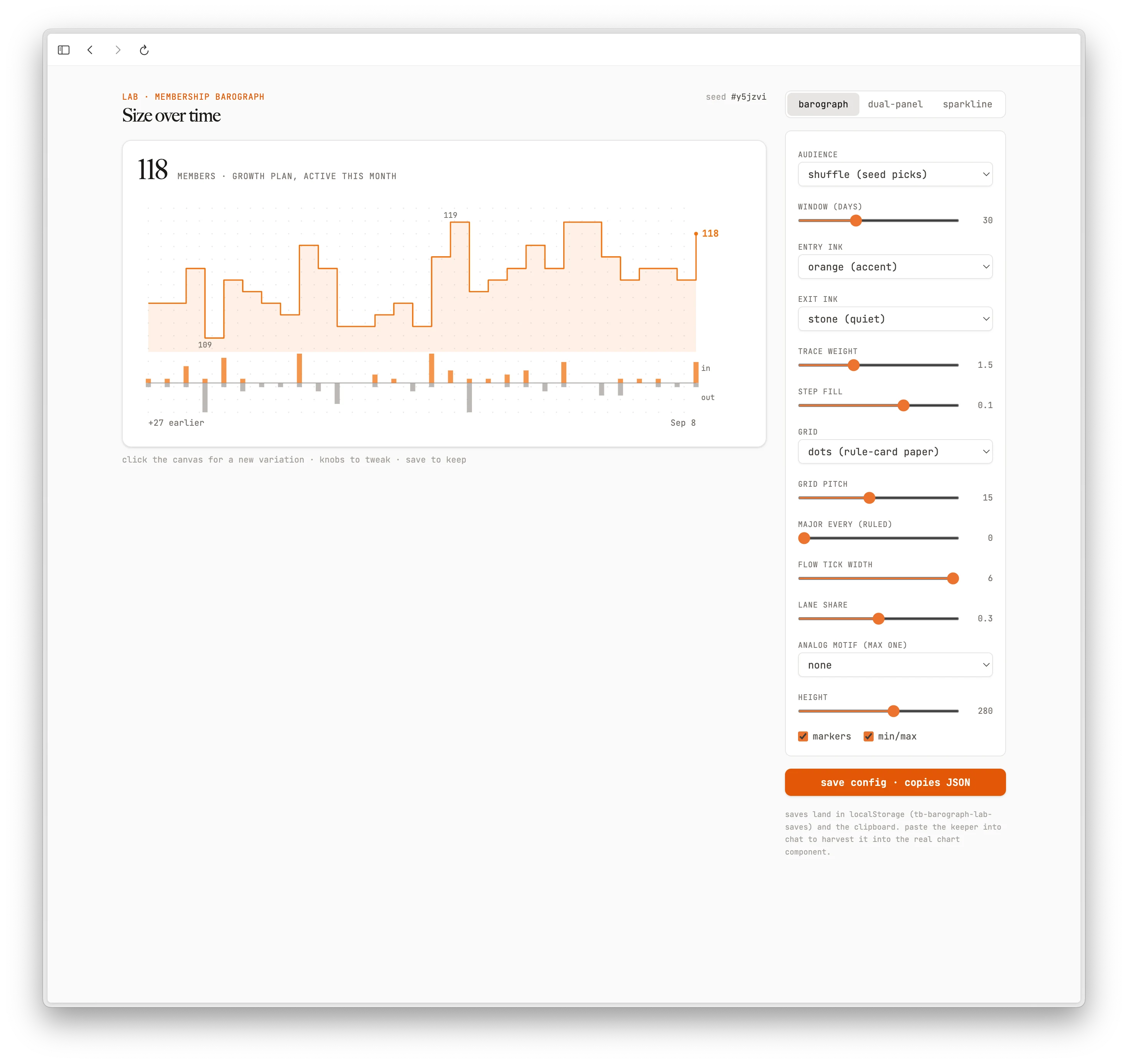
A Lab is a throwaway prototype page. The component I'm designing lives on one side, and a panel of controls on the other. Sliders, dropdowns, checkboxes, a random seed to shuffle sample data. Every aspect of the component I might conceivably want to tweak gets a knob. I sit there and play, clicking through variations until it looks and feels exactly the way I want. Then I hit save, and the whole configuration copies to my clipboard as a JSON payload. I paste that back into a chat session, and the real component gets built with those exact values locked in. It's a joyful flow.
I was inspired to try this after reading through Emil Kowalski's ideas for tuning animations and UI tools with AI agents. The technique scales perfectly to more than just animations.
In the past this would have been at best an annoying effort, and at worst prohibitively time-consuming. I'd basically be hand-building a dozen versions of a component to compare them, plus a little control panel UI on top. Doable, yes, but tedious enough that I'd never actually do it. AI makes it cheap. As part of my personal system (the one I wrote about in the one tool that changed how I work), I have a labs skill: I describe the component and the dimensions I want to explore, and it generates the entire lab for me. The prototype now costs me a sentence and some tokens:
/jt:design-lab let's build a lab to prototype what an audience chart would look like over time to show member counts and trends so a user can quickly see variations in an audience's membership. I'll use this on a show page for the audience, but we may also want a sparkline version to show on a list of audiences too
After some back and forth, here's the result:
A sample "lab" view with its knobs for an audience chart
Now we're cooking. I have a "real" component I can tweak until I like the styling and interaction. Then I hit "Save" and my config is locked in. The lab persists that config in the browser's local storage too, so everything is right where I left it when I come back later.
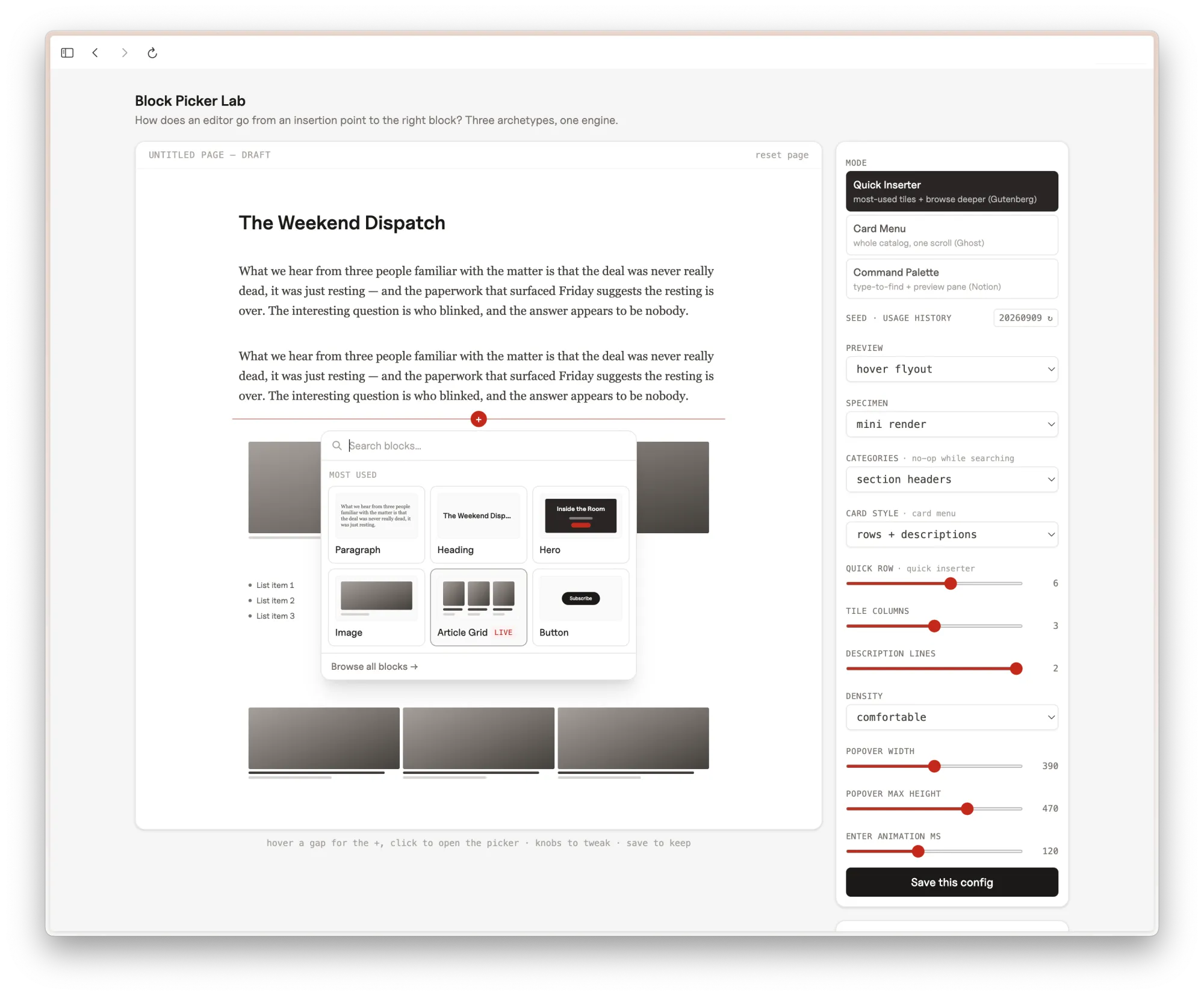
Here's another example, for our page builder interface for Puck:
/jt:design-lab using our research on block-based page editors, let's build a lab to experiment with the interaction for inserting a new block on a page. Use our existing block library for sample content
And here we go:
Another sample "lab" view to dial in a page builder UI
This one is still in progress for me this week. It's not perfect yet, but it's already surfaced a pile of choices I wouldn't have thought through on my own: Should there be a quick row of common blocks? Thumbnails or text descriptions? How dense should the information be? What does search feel like when I type and come up empty? A bit of fiddling in the lab and I can answer all of it. When I'm done, I'll save the config and weave it into the larger page design.
This all emphasizes something I keep coming back to: in this age of AI, I am the director. AI doesn't dictate my design or my taste. It's the tool I use to get the vision out of my brain and onto the screen, and labs are one of the more effective ways I've found to do that. The judgment and the decisions are still mine. The knobs just make it faster to get there.
I built something, and it has changed how I work more than any tool I've adopted in twenty years. I want to describe how it works, because the pattern is reproducible and I think more small teams should steal it. I also explain what I got wrong about my first model of AI tool development, and lay-out the most underrated part of my solution.
The problem
For years the way my small team kept up was the usual magic: talented engineers, short lines of communication, and me writing a lot of specs.
I've hand-written thousands of specs over the years: feature requests, bug reports, data model sketches, "I thought you might enjoy experimenting with this" notes to engineers. And every single one of them started from a blank page, drew on context that lived only in my head, and disappeared into a project management tool the moment it shipped.
That's fine when you're maintaining one product, or one idea at a time. But I'm juggling a dozen workstreams across our entire organization, and we're revamping everything this year. I needed a way to keep it all straight.
The core idea: files are the shared state
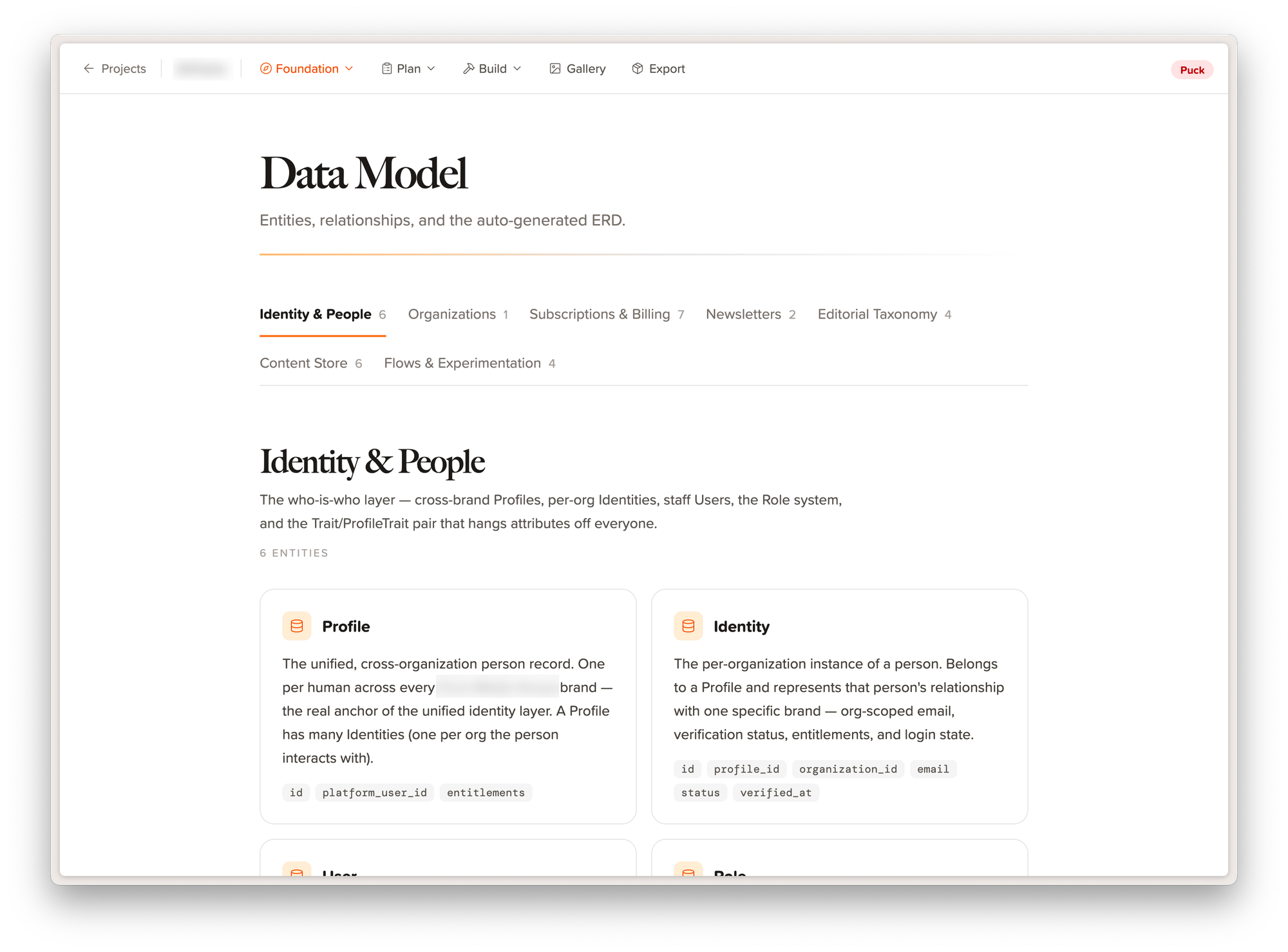
The setup has two parts: I built a web app and the command-line brains behind it. The web app is always running on my computer, a pinned tab in Dia that's always a glance away. It's a lovely presentation of everything we're working on: context, decisions, milestones, and designs in one place.
A visual data model for a feature
The brains are a clever network of agent skills that guide me through each step of my thinking: from product vision to research to features, decisions, and ultimately design. The best part? Everything we create lives in a folder of human-readable flat files backed by a git repo. Markdown, JSON, and images. No lock-in, no model-specific or agent-specific behavior.
Here's how it works:
Claude Code writes files. Custom slash commands (/shape-feature, /design-screen, /record-decision, and a couple dozen more) are the only way anything gets written. Each command is a carefully authored prompt that knows exactly what questions to ask, what files to read first, and what format to write.
A local React app reads those files. Vite watches the disk and renders everything (specs, data models, decisions, screen designs) as a browsable product workspace in the browser. The UI is read-only on purpose. All writes go through conversation.
The files on disk are the bridge. No database, no API, no server. Version-controlled, greppable, portable. The formats are strict enough that the UI can parse them, which means they're also strict enough that an AI agent six months from now can parse them too.
I work in two windows: a terminal where I talk to Claude, and a browser where I watch the artifacts take shape. It feels less like using a tool and more like having a product organization that happens to fit on my laptop.
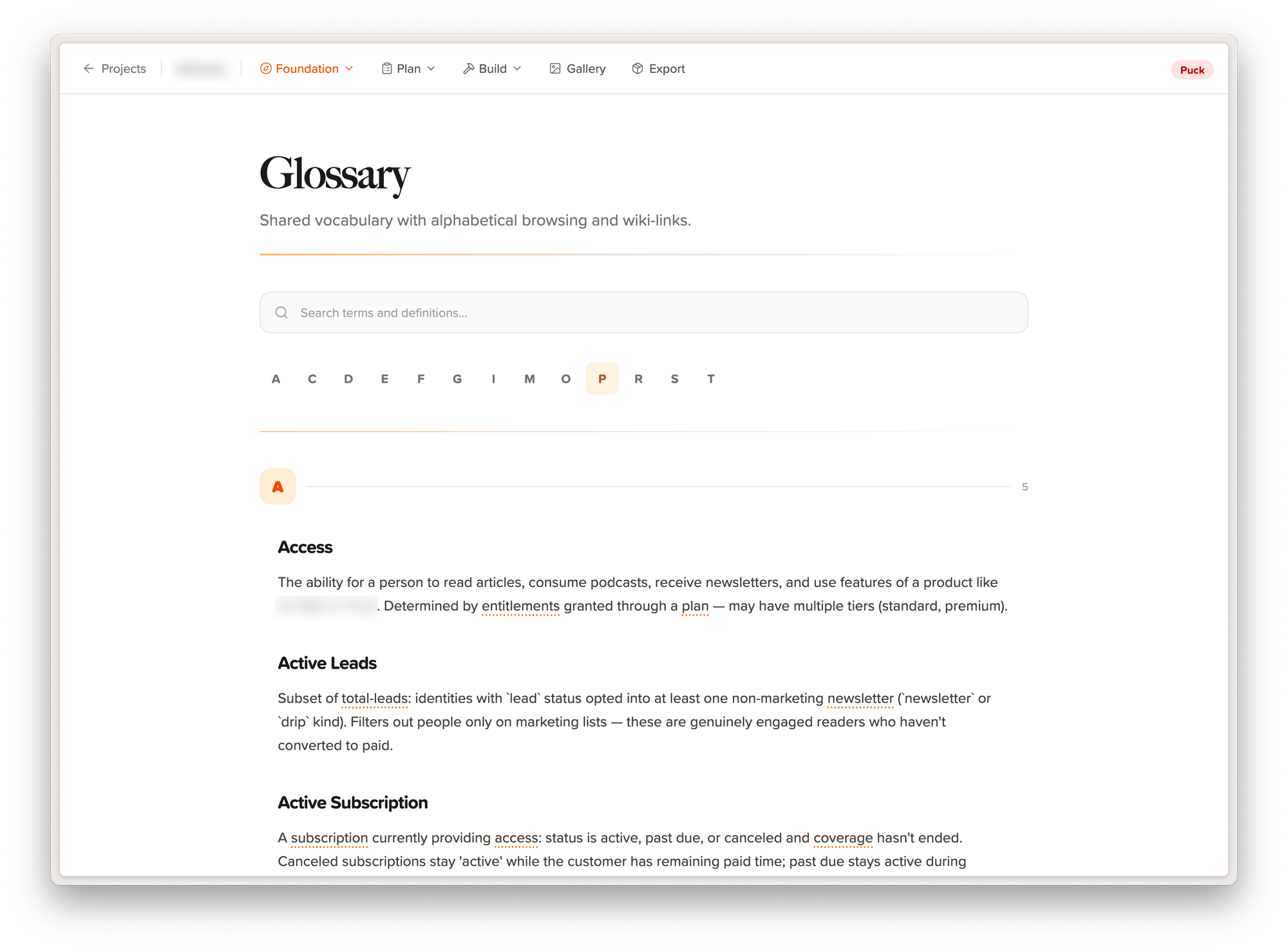
Shared memory in a glossary of terms we've agreed upon
Institutional memory is the actual product
Here's the thing I got wrong in my first mental model of AI tools: I thought the main value was the speed of creation. It isn't. The value is persistent context. It's reproducing my brain in a system that doesn't forget, doesn't make shit up, and keeps it all together so I don't have to.
Every project in the system is a workspace where the important stuff accumulates: the product vision, a conceptual data model, a glossary of domain terms, constraints, and (my favorite) a running log of decision records with the alternatives we considered and why we chose what we chose. When I sit down to shape a new feature, the agent loads all of it before we exchange a word. It knows our vocabulary. It knows we decided against that approach eight months ago, and why. Oh, and of course it has full access to the actual source code of a project, so we're shaping ideas against the reality of our setup, not some idealistic state that doesn't exist yet.
A small team's biggest tax is re-explaining context. We mostly don't pay it anymore.
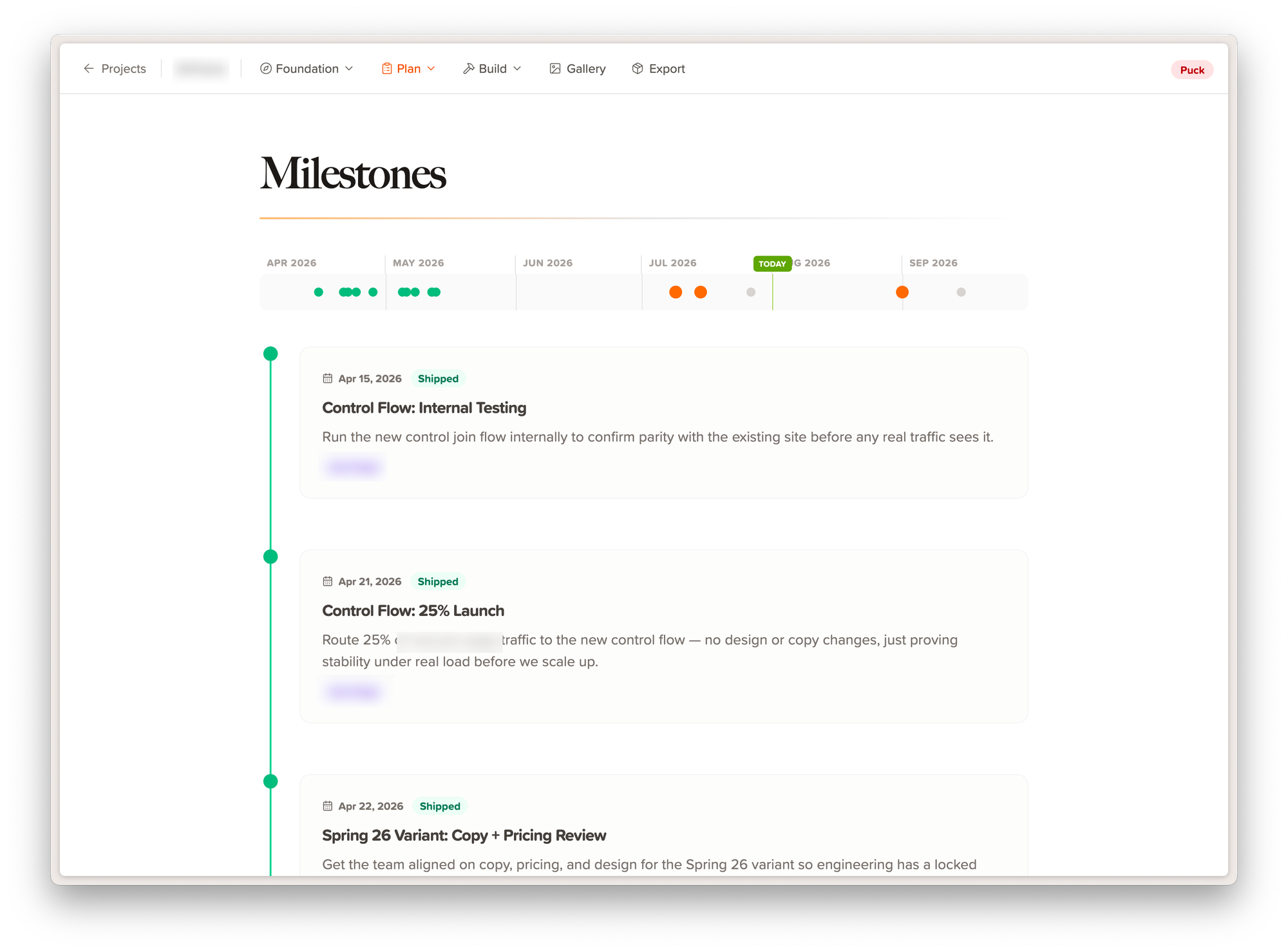
Our timeline of feature launches
It writes specs the way I would
Early on, the AI-generated specs had a problem: they read like they were written by a product manager from a much larger, much more boring company. "The system shall..." language. Acceptance criteria in Given/When/Then. My engineers would have staged an intervention. I hated that nonsense.
So I fed the system an analysis of years of my own hand-written specs and distilled a voice guide from them. How I lead with the story of why before the what, how I frame schema ideas as suggestions ("whatever you think is best here"), how I end big specs with a practical testing checklist rather than an exhaustive test plan. Every prose-producing command reads that guide first.
The result is that specs come out sounding like me, because in a real sense they are me, at scale. My engineers read them the same way they read the ones I wrote by hand. That was the moment this went from a toy to infrastructure.
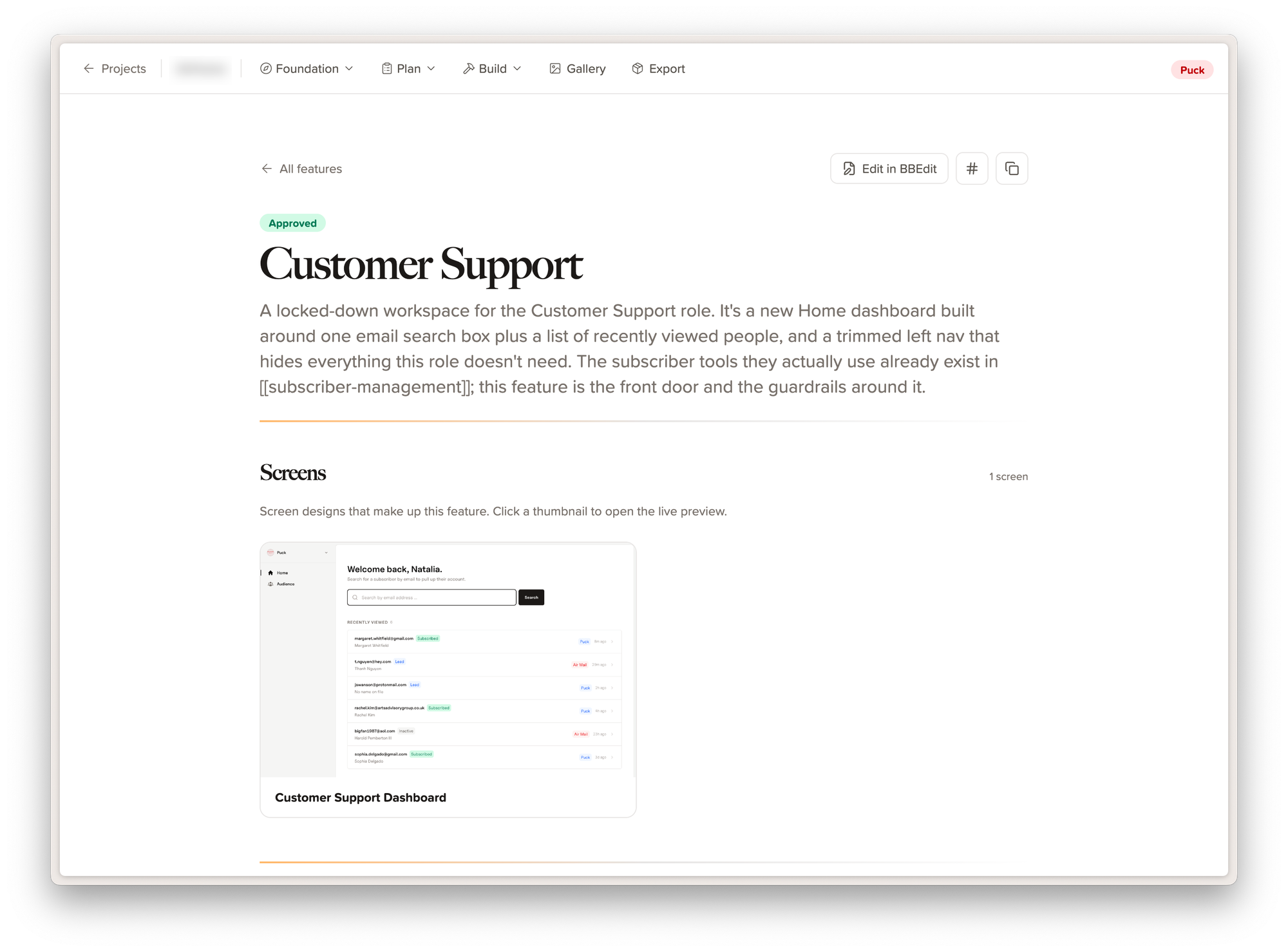
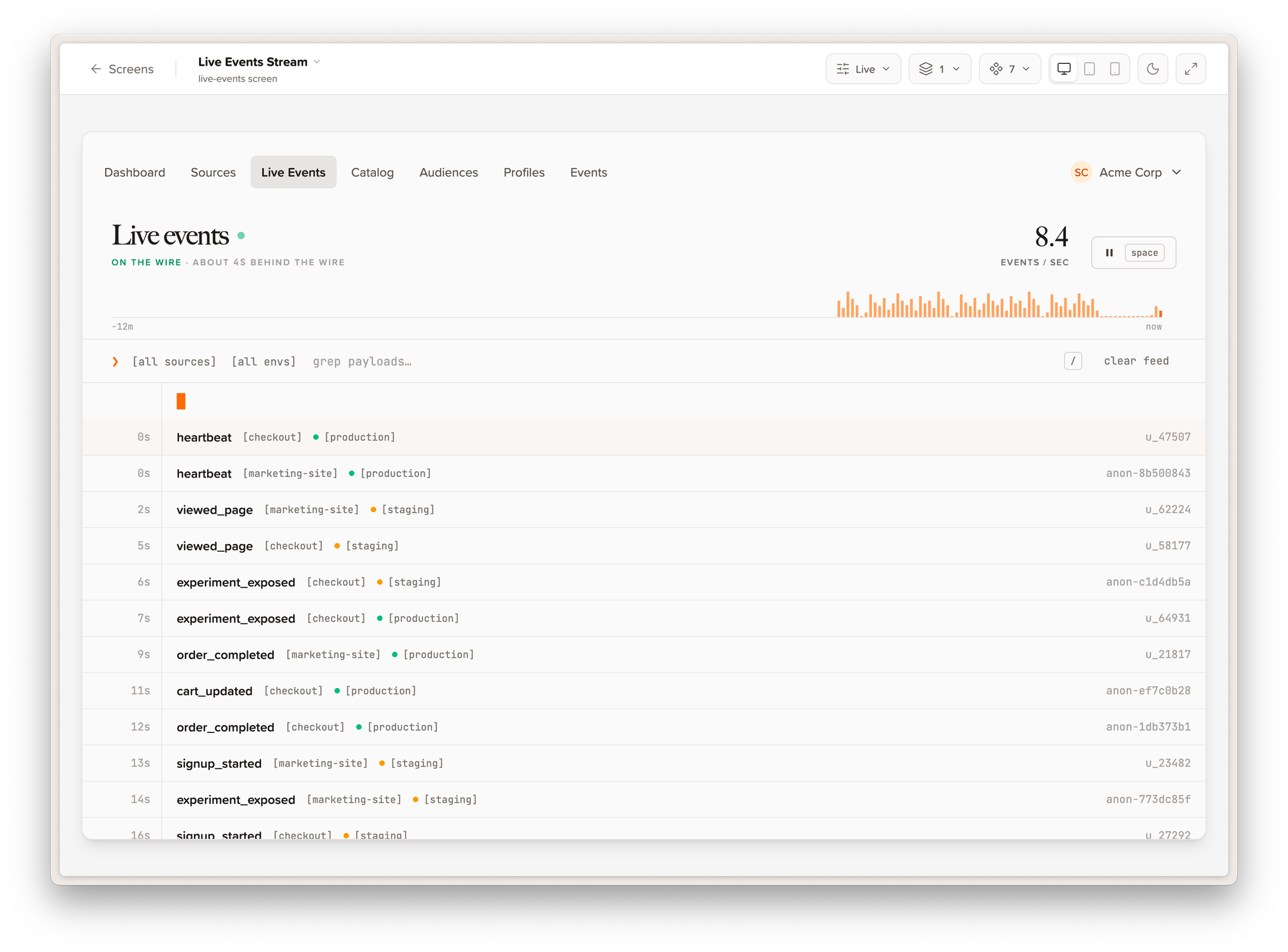
A sample of a feature spec page and its screen designs
Design systems and screens, before an engineer touches anything
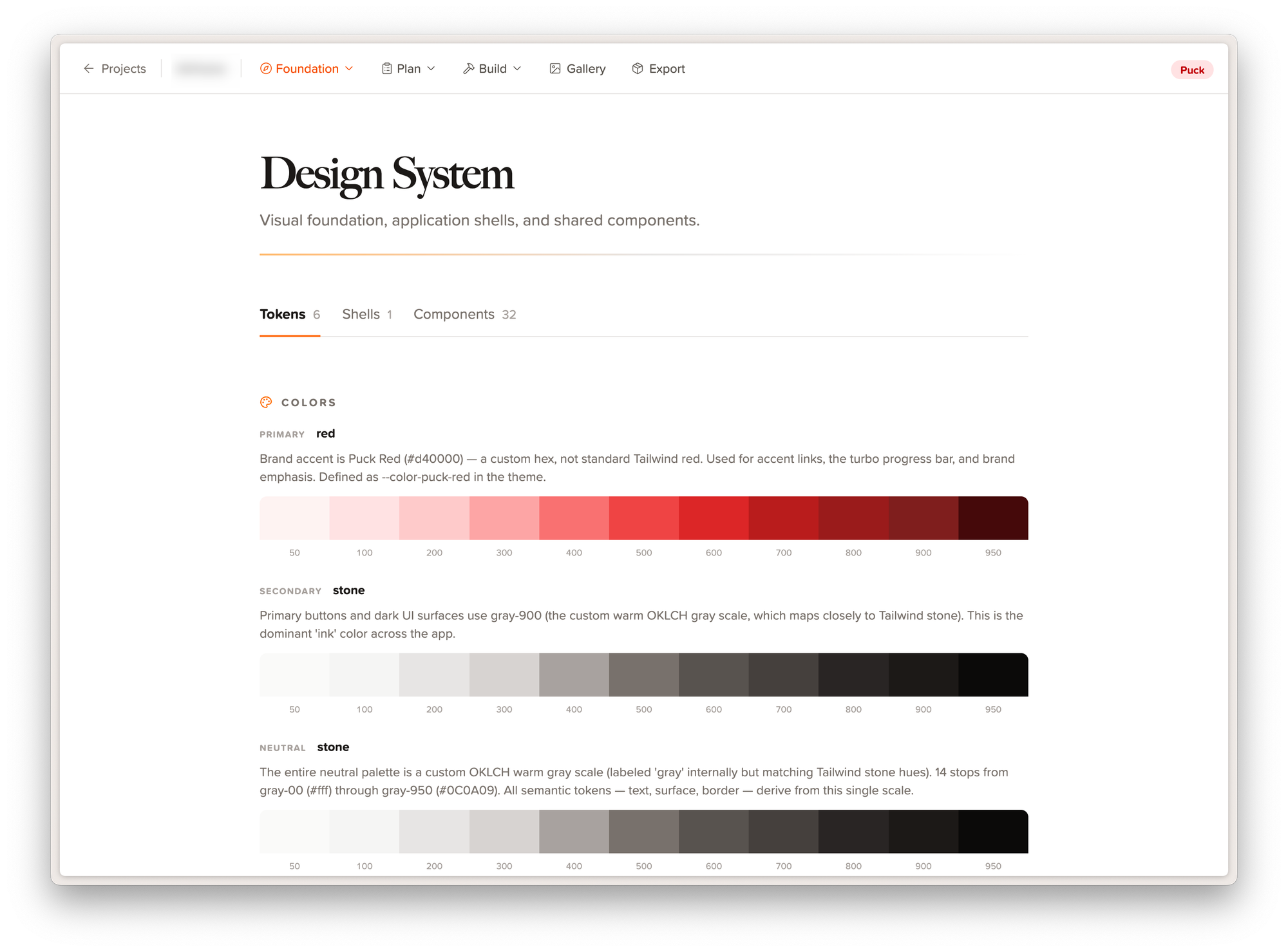
Each project gets its own design system: color tokens, typography, spacing, shared component treatments. The agent helps shape it conversationally, then every screen it designs afterward is bound to those tokens. Real React components, responsive, dark-mode aware, rendered live in the companion app and screenshot via Playwright.
Example of a design system view in the web app
The components follow one strict rule: props in, callbacks out. No data fetching, no routing, no state management. Which means they're portable. When a feature is approved, the actual components ship to engineering along with the spec, sample data, and TypeScript interfaces. Design review happens on working screens, not mockups. We can go from "rough idea" to "clickable, on-brand screens with a spec my team can build from" in an afternoon.
The bridge to real code
The next piece is the handoff. When a feature is shaped and approved, another skill command assembles everything (the spec, the relevant slice of the data model, the decisions that constrain the work) into a build prompt and drops it directly into the target codebase. A fresh agent session in that repo picks it up and builds a thin, reviewable slice. One prompt, one scoped PR. Engineers review real diffs against a spec they trust.
And this is the part I want to be careful about, because "fully agentic" gets misread: the platform deliberately produces the what and the why, never the how. I'm not replacing my team here, not interested. I'm replacing the manual back and forth and imprecise nature of a typical project handoff. No prescribed architecture, no dictated libraries. Engineers own the implementation, same as always. The agents just remove (most of!) the ambiguity of my ideas on the way to implementation.
One rule I never bend: the agents aren't allowed to touch Git. No commits, no pushes, nothing. I read what they produce and commit it myself. The system drafts; I decide what sticks.
There is no lock-in, and that's by design
I can't state this plainly enough: everything I've described is plain text. Markdown, JSON, a handful of React components. Any agent, any program, any human can open these files and understand them completely.
I think this is the most underrated property of the whole system. I love Claude and it's what I reach for most right now. But nothing about the platform depends on that choice. The "API" between me and the AI is a folder of readable files, so I can point any model at it. In practice I sort by price: the heaviest model does the thinking and shaping, and cheaper ones handle the execution. I can throw a different model at a hard problem just to see what it does with the same context. I can run adversarial reviews, where one model shapes a spec and another one tries to poke holes in it, and the referee is just... the files. Whoever makes the best frontier model next year, this whole system comes with me.
And because it's just files, it's just Git. Branches, commits, pull requests, history. A spec under review is literally a branch. A decision is a commit you can trace back five years from now. Anyone on the team can clone it like any other project, and any tool that speaks Git can plug into it. There's no vendor to outgrow and no export button to pray over. You could run an entire product ecosystem off this platform, and it scales the way plain files have always scaled: effortlessly.
I shape product wherever I'm thinking
Because the whole system is files in a repo with a conversational front door, it doesn't care where I am either.
I keep a remote Claude Code instance connected to the platform, which means the terminal-and-browser setup on my desk is just one way in. Lately my favorite way in is my iPad. I can be on the couch, still chewing on an idea, and I can open a session, think out loud, preview the screens, pencil in notes, react to something the agent drafted yesterday. Feedback and context get captured wherever I am, whenever the thought shows up.
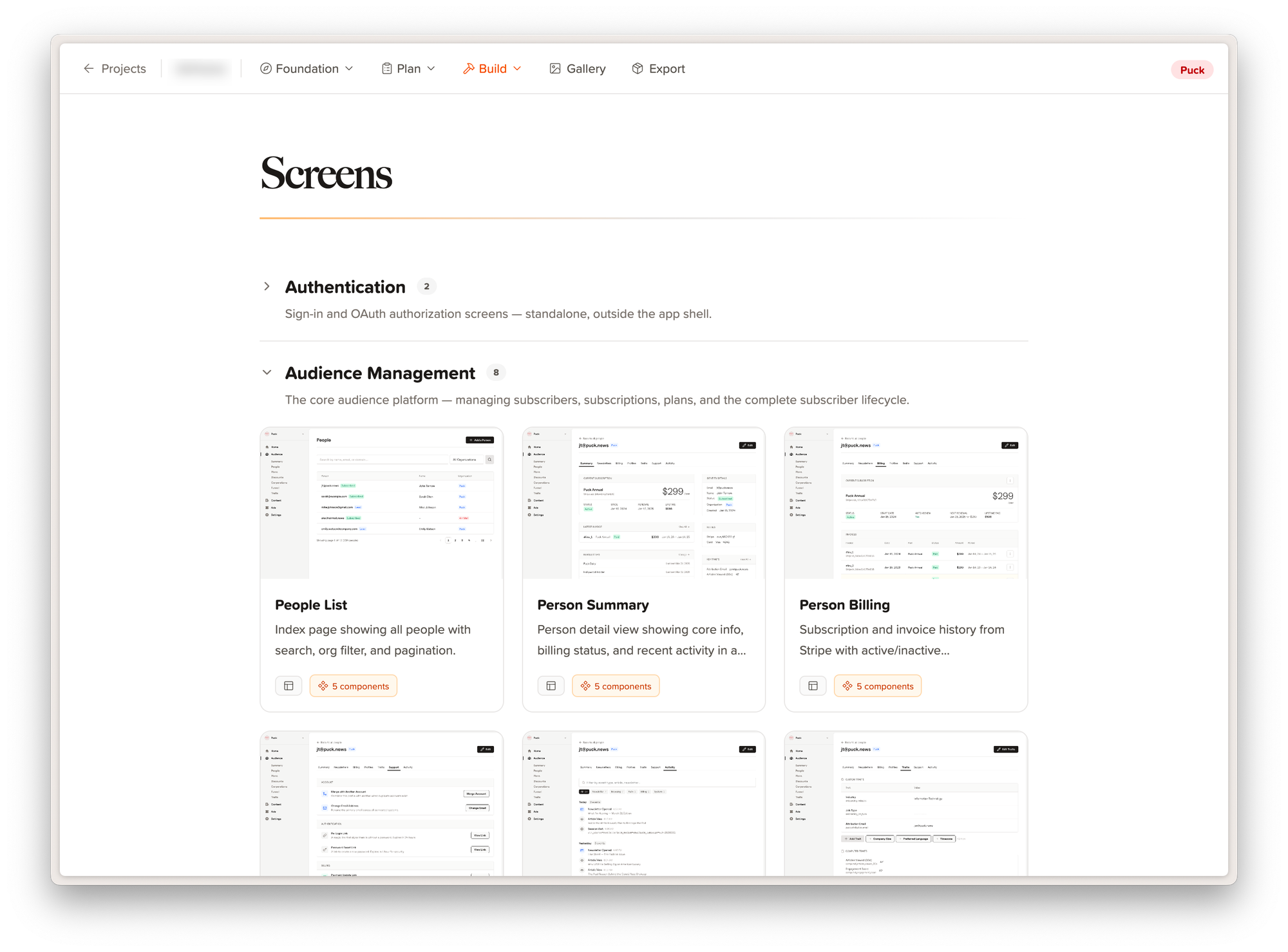
Designed screens, ready for feedback
That sounds like a small convenience. It isn't. Product thinking doesn't happen on a schedule, and the old cost of an idea-while-walking was "hope I remember this at my desk." Now I'm shaping the product when I'm thinking about it, not just when I'm sitting in front of a keyboard. Some of our best recent features started as a twenty-minute walk and a conversation. I probably need to work on my boundaries, but I love this stuff and can't stop thinking about it.
Example of a designed and functional view
It's not just a me thing.
Earlier this week I walked another company's team through the whole system. No real prep, just a screenshare and a conversation. Their questions were the good kind, the ones that poke at the edges. What about security? The agents can't reach outside the filesystem they work in, and they only get the tools I've explicitly allowed. Could a whole team share one of these? That one has my favorite answer, because it's the same answer as everything else here: it's just a repo. Push it, pull it, and now the entire team is working from the same context, the same decisions, the same vocabulary. By the end of the call they were riffing on client workspaces and a shared skills library that captures their team's taste.
That's the part that has me excited lately. This started as a system built for exactly one brain, mine, and the pattern travels anyway. The files don't care whose judgment they encode.
If you're a technical leader at a small company, this pattern is sitting right there. Files as shared state. Conversation as the write path. Your own judgment, encoded once, applied everywhere.
Steal this if you like. If you build one, I'd love to compare notes. I might open source this, I might not. The code isn't particularly novel, but the thinking behind it is.
I love working on the command line. It’s 2026 and we have some of the best tools in the world for building amazing graphical user interfaces, but here I am at the command prompt like it’s 1983. The command line isn’t old, it’s eternal and has always been the most direct way to control a computer.
The command line is powerful, but it’s cumbersome. Many of the best CLI tools are open source or hobby projects where documentation is wildly inconsistent: nonexistent at worst, overwhelming and deeply technical at best. For something I use every day like git, that’s fine. But many CLI tools are purpose-built utilities that do a few things extremely well, and I don’t use them often enough to internalize their syntax.
Enter the LLM. My command line awakening has been using Claude Code as a front-end for my CLI tools. It turns out LLMs are uniquely well-suited for this. The major open source tools are well-documented in plain text — blog posts, Stack Overflow threads, GitHub pull requests, readme pages — all of it embedded in the model’s weights. And CLI syntax is predictable and structured in a way that natural language isn’t, with deterministic failure modes that give the LLM real-time feedback on what worked and what didn’t.
Managing Google Workspace is a perfect example. The admin interface is cumbersome and riddled with gotchas, and I’ve always avoided it for fear of breaking something. But running a growing company means you can’t ignore it. I found a tool called GAM, a command line utility that handles everything a Workspace admin needs (users, domains, aliases, groups) straight from the terminal. It’s remarkably well-documented. Though honestly, you don’t need to read any of it. That’s the whole point.
I’ve never learned a single GAM command, but I’m using it weekly to reset passwords, manage aliases, adjust settings, and handle the administrative work that used to eat up my afternoons.
Here’s a simple example of something I’d sent to Claude:
Done. Password reset for someone@airmail:

- Temporary password: <a temp password here>
- Force change on next login: enabled — they'll be prompted to set a new password the first time they sign in.
That alone is worth it! No more navigating 12 clicks deep through the sluggish Google Admin website. But then Claude volunteered something I hadn’t thought to ask:
A couple of follow-ups worth considering:

- 2FA status — if they got locked out because they lost their 2FA device, the password reset alone won't help. Want me to check their 2FA enrollment? ./bin/gam info user [email protected] will show it.
- App passwords / active sessions — a password reset doesn't automatically sign them out of existing sessions or revoke app-specific passwords. If this reset is for a security reason (suspected compromise), let me know and I can also run gam user [email protected] signout to terminate active sessions.
That’s the part that hooks me. It’s not just executing commands … it’s bringing operational awareness I wouldn’t have had otherwise.
I’m also building my own CLI tools now (using Go with Cobra, Viper, and Charm) to manage my apps, services, and infrastructure. The interesting shift is that I’m designing them knowing Claude Code is the front-end. Clean help text, consistent output, predictable failure modes. Not optimized for a human memorizing flags, but for an LLM that will read the docs once and orchestrate from there. It’s a different way to think about tool design.
I first started using Heroku somewhere around 2010. At the time I had managed almost all of my projects on either corporate infrastructure or physical hardware we had purchased at a hosting provider. Writing those words in 2026 sounds completely archaic and byzantine.
Yes, we purchased physical server hardware and had someone manually set it up so we could connect to it remotely. The “cloud” was barely a thing at this time, and certainly not something that we took seriously for “important work projects.”
Right before the Heroku days I had my first project that went viral, as we’d call it now, and we had a major hosting crisis. I distinctly remember my setup for this launch: I had 2 beefy dedicated web servers and a dedicated database server. We thought it would have some traffic so we planned early.
As soon as I switched over the DNS server to push this site live we were instantly flooded with traffic. I found out later that the domain for the project, a little promotional app for a chicken sandwich company, was included on in-store signage that was posted too early.
Here’s the fun part that seems quaint now: we had to order more physical hardware to account for the traffic. I tripled the capacity, which was largely a guess at how much we’d need, and placed a rush order for new hardware and setup. The “rush order” gave me that new hardware within a few business days and I received the login information to get connected. Oh yes, I couldn’t actually even use this new capacity until I configured the servers, by hand.
I was smart enough at the time to have scripts that would mostly automated the configuration of the servers, but it still took hours of time. I had to install a web server (Apache, I assume), configure our middleware layer (mod_rails, which was later renamed to Phusion Passenger), set up Ruby, configure the firewall, and I’m sure a number of other things on each server before it was ready to go. Within a few stressful hours I deployed the new capacity and switched our load balancer (also on dedicated hardware) over to account for the new setup. We continued to burn hot for a few weeks until the promotion was over but thankfully didn’t need to order any more hardware after that.
This wasn’t a unique event, but it was indicative of how I approached servers and hosting at the time. Imagine my joy when I was first introduced to Heroku, and this was all you needed to do to deploy your app:
git push heroku master
That was it. Literally one command in the terminal to replace what my silly scripts would do for me in hours. By default, Heroku would create a small slice of a server (they called it a Dyno), install everything needed, and spin up a web server to handle running your code within a few minutes.
If you were gaining traffic or needed to scale your service it was as simple as switching the dyno count from 1 to 2, and so on. Incredible. What took me days only months prior would now take minutes.
I switched everything I was working on to Heroku and didn’t look back for almost the next decade straight. It certainly had its problems over the years, but in general I loved Heroku.
Today, Heroku is transitioning to a sustaining engineering model focused on stability, security, reliability, and support. Heroku remains an actively supported, production-ready platform, with an emphasis on maintaining quality and operational excellence rather than introducing new features. We know changes like this can raise questions, and we want to be clear about what this means for customers.
There is no change for customers using Heroku today. Customers who pay via credit card in the Heroku dashboard—both existing and new—can continue to use Heroku with no changes to pricing, billing, service, or day-to-day usage. Core platform functionality, including applications, pipelines, teams, and add-ons, is unaffected, and customers can continue to rely on Heroku for their production, business-critical workloads.
Enterprise Account contracts will no longer be offered to new customers. Existing Enterprise subscriptions and support contracts will continue to be fully honored and may renew as usual.
We’re focusing our product and engineering investments on areas where we can deliver the greatest long-term customer value, including helping organizations build and deploy enterprise-grade AI in a secure and trusted way.
First, this is an incredible exercise in big company PR saying something without actually saying anything at all so I’m leaving a lot of this to speculation. But it seems very clear to me that this is Heroku being put into maintenance mode. The infrastructure will continue to be supported and kept functional and secure, but I wouldn’t expect to see much more than incremental updates from here on out. I’d love to be wrong, but the writing has been on the wall for some time.
Here’s the real indicator to me: “Enterprise Account contracts will no longer be offered to new customers”. Enterprise contracts are crucial to support a growing organization and likely represent the most important and highest revenue customers. (I know for a fact that when you reach a certain monthly spend amount on Heroku, you would trigger a sales person to reach out and attempt to convert you to an enterprise account.) Without new enterprise customers and the sales staff that support them, the platform is dying. Sure, the business will likely maintain its current course for years to come but without growth it’s a lost cause. I could be wrong, I hope I’m wrong, but it sure doesn’t seem like it.
Maybe it’s time. Like I said, the writing has been on the wall for years. Heroku was never the cheapest hosting option, but over the past 6 years it became almost laughably expensive. The Heroku model has been proven and it is a viable business. Just not for Heroku itself it seems.
There are a number of excellent competitors that have been founded recently and taken what Heroku pioneered to new heights. Fly.io, Vercel, Engine Yard, Render, and many more.
I migrated Air Mail off Heroku last year to Render.com and couldn’t be happier. We cut our bill in half, and increased capacity and throughput at the same time by almost 3x. The developer experience is close to what Heroku offered (alas, I still miss pipelines) and getting better by the month. It’s wonderful to be on a platform that is evolving and growing. The Render support team was incredible as well: they helped me move my many-hundred-gigabyte Postgres database from Heroku to Render with only about 30 minutes of production downtime.
I’ve seen chatter that the Salesforce acquisition of Heroku was to blame for its downfall. Maybe, but I’m not so sure. Salesforce has owned Heroku since 2011 and by all accounts it seems to have fueled Heroku’s growth for many years. At a certain point the decision was made that Heroku wasn’t the future of developer-ops and hosting for Salesforce and their interests went elsewhere. I don’t blame the approach, but that doesn’t make it less of a shame to lose a once great product.
So let’s pour one out for Heroku: You had a great run. You made a lot of engineers out here happy for many years. You introduced us to the concept that cloud hosting isn’t bad. You helped make cloud-hosting approachable and predictable. You held on to that profit margin for servers as long as you could. You led the charge to make better web apps. You changed the game.
Like most weeks over the past year, my mind is deep into the world of AI. It’s hard to escape, and I’m finding new ways to use these tools by the day.
This week saw the announcement of Xcode 26.3 with its first offering of agentic development tools and it looks incredibly cool. I’m not a big Xcode user these days, as I’m not currently working on an iOS app, but I’m never too far from it. Apple has been, let’s say, slow when it comes to adopting new AI features and paradigms so this is a big one. For those that live in Xcode, this must be a huge announcement and a welcome change.
My usage of AI for development and utilities has primarily centered around Claude Code. I’m a command line guy. I’ve always felt comfortable working within the shell and I love having all of my tools in one place. A few coworkers have tried out Codex and the more GUI-friendly interface for Claude Code, Cowork, but I’m finding it harder and harder to leave Claude Code behind. Especially for workflows that aren’t even related to “code”.
Most of my daily non-development work lives in Obsidian. At its core, Obsidian on my Mac is just a folder full of Markdown files. Daily notes, lists of todos, meeting notes, project documentation, and all of my general thoughts and ideas around my work lives in my Obsidian vault. It’s all in plain Markdown, with lots of tags and properties (metadata) to keep things organized. It sounds complicated, but it’s incredibly simple and basic.
There’s no official support for an LLM or AI tooling within Obsidian. Again, it’s just a folder full of markdown files. This is where Claude Code comes in for me. I use Code on a daily basis to interact with and automate my Obsidian vault and do the heavy lifting for me and keep everything organized. Not only is it saving me a ton of time, it’s incredibly satisfying to kick off the routines and then focus on something else for a while.
The Daily Routine
Each morning I have a /daily command that sets up today’s daily note. The note is set up, linked back to my weekly note for that week, and my day’s agenda is added via a connection to my calendar app. I’m in way too many meetings for one human on a daily basis, so it’s helpful to have my AI assistant prepare what’s needed for the day.
Each meeting on my calendar also gets its own note file. Those individual notes are all set up and linked back to the daily agenda all from Claude without me having to open anything, or even look at my calendar.
In the case of recurring meetings, Claude automatically links up the previous meeting of the same kind, and then in that previous meeting links to today’s new occurrence. So in each meeting note file I have a convenient “Next” or “Previous” meeting link to go back and forth between each week.
For a 1:1 meeting, Claude summarizes the last few 1:1 calls I’ve had with that particular person and gives me a quick list of what we’ve been discussing recently. I also have Claude connected to a bunch of other tools so I can see progress made and what each team member has been up to, but that’s a topic for another post.
After each meeting, or at the end of the day, I’ll compile my handwritten or typed notes and save them in the note file for next time. If there’s a meeting where we have a transcript, that’s added and automatically included as well. (I’m using Hazel on the Mac to drop transcript files in a folder and automatically send them to OpenAI for summarization.)
This system is perfect for me. No information is lost, all progress is captured, and everything is indexed and linked together. Every bit of context throughout my week is captured and organized, so I don’t have to keep all of that information in my head. And since Claude is linking everything together automatically, I have full context on each project, meeting, person, and task I’m working on. Lovely.
All of this work is done within a Claude Code window in my terminal. I run a few commands and Claude takes care of the rest. I’m just scratching the surface here and there’s so much more, but this is just a little bit on how I’m using Claude without even writing code to get things done.
I’ve never been the biggest college football fan. I didn’t go to a huge state school with a big team. I didn’t grow up in a college football family. The NFL has always just spoken more to me starting as a kid as a Bills fan before the Ravens showed up in town in 1996.
For me college football has always been a bit sloppy. These are kids out here, after all, playing a very difficult and physically intense game. The quality of play compared to the NFL has always been harder for me to watch. Missed throws, dropped passes and poor defense isn’t an entertaining sport in a time when there are endless entertainment options available.
The majority of the ‘big’ games have traditionally been lopsided blow-outs with big school power players always having the advantage. I’m not interested in watching a giant school with a dozen future NFL starters beat up on a small school by 50 points week after week. It’s just not that interesting.
This week the Indiana Hoosiers won the College Football National Championship. Yes, the traditionally basketball-focused school outlasted and outclassed some of college football’s most storied and powerful programs. Prior to this week Indiana hadn’t won its conference since 1967, and had never previously won a playoff game. And this year they went undefeated to a national title.
The sport is feeling different. It’s more like the NFL, and that’s a great thing. Players are being directly paid to play the sport through NIL money which means there’s no rush for the best players to jump to the NFL to cash in on their abilities. There were multiple players 23 and 24 years old playing on the Miami team that lost in the championship: unheard of prior to the NIL for a good player. Good football is a mental sport and keeping players in the system longer to gain more experience is making the players, and the sport, better.
The ‘transfer portal’, which is a super cool name for players being able to transfer to different schools if they desire, has been much maligned as ruining the sport as well. There’s no loyalty to schools, the critics say. They said the same thing when the NFL embraced free agency decades ago. They were wrong then, and the critics are wrong now.
The sport has evolved, and it’s okay. It’s better. The competition level is higher. The players are staying around longer and building their skills before making the jump to the NFL which is making both college football and the NFL better in the long run.
The money being funneled into college programs is a good thing for the sport. I love that Marc Cuban can donate his money and time to make his alma mater better. I hope there’s much more of this in the years to come. It’s not just Indiana, but they’re proving the model and they are writing the book on how to succeed in modern college football.
I’ll still be mostly watching football on Sundays. But change in college football is good. It hasn’t been great for a long time, despite some fun regional rivalries and historically interesting matchups. Indiana’s year was so fun to watch and it gives me a lot of hope for the future. The TV ratings (this was the most viewed title game since 2014) and the online discourse shows that the general public agrees with me. College football has evolved, and we’re here for it.
For the next few months I’m going to be very consumed merging two companies together into one tech stack. One of the key reasons we were acquired last year was to unify a technology stack that has helped our business grow and to bring the tools we created to the larger Puck enterprise.
Both legacy organizations are running completely independent technology at the moment, but my goal is to bring it all together. Puck’s business is primarily run on Wordpress, which is a lovely platform for basic CMS needs but not great for running a complex editorial business out of the box. Quite frankly, it’s capped the growth trajectory of the company and I’ll be fixing that very soon.
But before we even think about content and publishing, I need to unify the billing and subscription side of the business. Both companies are running separate billing systems, tax systems, and reporting back-ends. And, both are single tenant by nature: they were purposely creating to run a single business. So we’ve kicked off the work of creating a multi-tenant architecture that will house legacy Air Mail, legacy Puck, and any future acquisitions all in one place.
This effort has been a ton of fun, and the team seems to be enjoying the ability to develop on a new system with some greenfield requirements and shed some of our legacy baggage. I know I feel that way.
We’re just getting started but the effort is already moving along at a steady pace. I love starting fresh and designing the architecture for the next 5–10 years of this company.
Elsewhere
In sporting news, the NFL playoffs have been such a joy this year. It’s refreshing to not have a single rooting interest so I’m able to actually enjoy the games for face value and root for the best scenarios, instead of always scheming for my team’s success.
Anthropic announced its Claude Cowork features which bring the power of Claude Code to more non-technical users that don’t want (or know how) to live in a terminal window. Claude Code is my absolute favorite tool right now and I’m using it constantly, for coding and non-coding projects alike. Excited to give Cowork a spin, even though I know I’ll probably keep using Code for now.
Appleannounced the Apple Creator Studio which brings together Final Cut Pro, Logic Pro, Pixelmator Pro, and a bunch of other tools into one purchase and one subscription. $12.99 per month or $129 per year seems like a great deal for these apps. Not that I need another Apple subscription, but this looks very attractive.
OpenAIexplained its approach to ads within ChatGPT which has felt like an inevitability given how much money they are spending. The framing is thoughtful and coherent and seems to be well considered. I’m still more than happy to pay for an ad-free subscription because of the immense value I’m getting from ChatGPT, but I completely understand the desire to open up the market to even more users that are more price sensitive and don’t mind seeing ads in exchange for using the service.
Happy Sunday. Here’s to another great week ahead. 🏈
A week into the year and I figured it’s as good a time as any to pick back up with some light blogging. The last half of 2025 was a complete blur with so many emotional ups and downs it’s not worth recounting them all. Overall I’m incredibly thankful and grateful for the chapter of life that I’m in. In short, I’m stoked for the year ahead.
This morning I updated my LinkedIn for the first time in about 7 years. I don’t like it over there (and I hope to go another 7 years without returning) but I made the jump to “formally” add Puck to my profile.
Late last year, Puck completed its acquisition of our little media startup called Air Mail. I’ve joined Puck as its CTO and couldn’t be more excited to have started this new chapter. The great news is that Air Mail is still alive and thriving within Puck and I still get to work on it every day.
🎧 Speaking of Puck, our incredible CEO Sarah Personette joined The Rebooting podcast with Brian Morrissey and shared a ton of great info about our approach and where we’re heading this year. (A nice shoutout to yours truly towards the end was also very cool of her.) Listen on Apple Podcasts or Overcast.
As we begin the process of merging two completely different company technology stacks, I’m knee deep in modeling and understanding both businesses so we can unify everything this year. We’ll be using Air Mail’s technology as the basis but making some substantial upgrades and improvements as we go. More on that throughout the year.
Yesterday the news broke that the Ravens had fired coach John Harbaugh after 18 seasons with the team. For context: 18 seasons is an eternity in the NFL and it's a credit to him and the franchise that they have been able to have such stability and success over this era. Harbaugh is for sure a future hall of famer and he should be recognized for how great he has been, and will continue to be for wherever he goes next. I'm sad about this news, but that's the business of the NFL. It's time to move on, and we'll see what happens next.
Is the age of AI-powered web browsers upon us? Another entry announced earlier this month is Perplexity’s Comet browser. Like Dia, it looks really nice and I’ll look forward to giving it a spin. (I’m on the waitlist, alas.)
Authorities and researchers are sounding the alarm over the active mass exploitation of a high-severity vulnerability in Microsoft SharePoint Server that’s allowing attackers to make off with sensitive company data, including authentication tokens used to access systems inside networks. Researchers said anyone running an on-premises instance of SharePoint should assume their networks are breached.
The vulnerability, tracked as CVE-2025–53770, carries a severity rating of 9.8 out of a possible 10. It gives unauthenticated remote access to SharePoint Servers exposed to the Internet.
I worked on a few SharePoint projects in the early 2000s, and even back then it felt old and outdated. I was shocked that anyone would choose to use it for any purpose. And yet, here we are in 2025, and I have the same reaction anytime I see the word SharePoint crop up.
Last night’s Major League Baseball All Star Game was fantastic. The MLB has done a remarkable job taking this sport, which is rooted in century-old tradition, and modernizing it while making it entertaining. The other major leagues should be taking note of how baseball has improved and follow the lead.
Clayton Kershaw was mic’d up while pitching during the second inning and it was so much fun. “I’m gonna try and throw some cheese real quick hold on” he said as he thew a pitch. He even solicited the help of the commentators on which pitches to throw. Pure genius mic’ing Kershaw up during a game.
The league introduced the usage of ABS (Automated Balls and Strikes) that allowed either a batter, pitcher, or catcher to call for a review of an umpire’s ball or strike call. The players loved it, given their smiles while requesting its usage, and the system works: it correct a few incorrect calls.
The game technically would have ended in a tie, but the league had a great solution for avoiding that completely un-American result: a swing-off home run contest.
Watch the faces of the players competing in, and watching, the swing-off and tell me they all weren’t having a blast.
A fantastic night of entertainment. This is how you do it.
Kite is a fresh take on news consumption by the team at Kagi:
Kite reads public RSS feeds of thousands of (community-curated) world-wide news sources and distills them into one perfect daily briefing. You get every critical perspective and timeline in just 5 minutes. That’s it. No endless scrolling. No attention hijacking. Because we deserve better.
Meta Platforms Inc. Chief Executive Officer Mark Zuckerberg announced a major restructuring of the company’s artificial intelligence group, including a commitment to developing AI “superintelligence,” or systems that can complete tasks as well as or even better than humans.
Zuckerberg wrote Monday to employees that Meta’s AI efforts will fall under a new group called Meta Superintelligence Labs, or MSL, which will be led by Alexandr Wang, the former CEO of data-labeling startup Scale AI, according to an internal memo reviewed by Bloomberg. Wang, whom Zuckerberg called the “most impressive founder of his generation,” will serve as chief AI officer. […]
Meta will spend “hundreds of billions” on AI projects and research in the years to come, Zuckerberg has said, though the Facebook founder also expects that many firms will likely overspend on AI in an effort to avoid missing the wave.
As the pace of AI progress accelerates, developing superintelligence is coming into sight. I believe this will be the beginning of a new era for humanity, and I am fully committed to doing what it takes for Meta to lead the way. Today I want to share some details about how we’re organizing our AI efforts to build towards our vision: personal superintelligence for everyone.
The Northern District of California has granted a summary judgment for Anthropic that the training use of the copyrighted books and the print-to-digital format change were both “fair use” […]
However, the court also found that the pirated library copies that Anthropic collected could not be deemed as training copies, and therefore, the use of this material was not “fair”. […]
This is a mixed ruling on fair use – a loss for both copyright holders and Anthropic, but potentially a big win for AI platforms in general. And, if upheld, the order would mean that AI firms using copyrighted material to train their LLMs may be allowed in the future. The only exception to this would be if the material has been pirated.
The mixed ruling in this case is potentially very interesting for the larger AI and LLM-based industry. The court here is establishing some precedent that training an LLM model is considered ‘transformative’ because it uses existing copyrighted works to create new outputs. This ruling sure seems to validate the approach of training LLMs on large datasets of copyrighted materials as acceptable, in the eyes of the court at least.
On the other hand, ‘pirating’ a bunch of books and content is obviously not fair use, and Anthropic will be on the hook for those damages in a future trial.